
Shift Management and Rostering Software
Build a shift once, repeat it as a pattern, and apply it across your team for a whole month. Review the draft before anyone sees it, then publish — and every person gets their own roster on their phone. Approved leave is visible while you plan, so the roster is right the first time.
From one shift to a published month
Five steps. You stay in control at every one of them.
- 1
Shift templates
A named shift with its hours — for example "Morning 08:00–16:00". Build it once and reuse it everywhere.
- 2
Patterns
Compose templates into a repeating weekly cycle or a rotation, such as two days on and one day off.
- 3
The planner
Apply a pattern across people and days over whatever horizon you choose, from a week to a full month.
- 4
Draft
Review the whole month, fill the gaps and fix the clashes while it is still yours alone.
- 5
Publish
Everyone gets their own roster in the mobile app, and the month downloads as an A4 PDF.
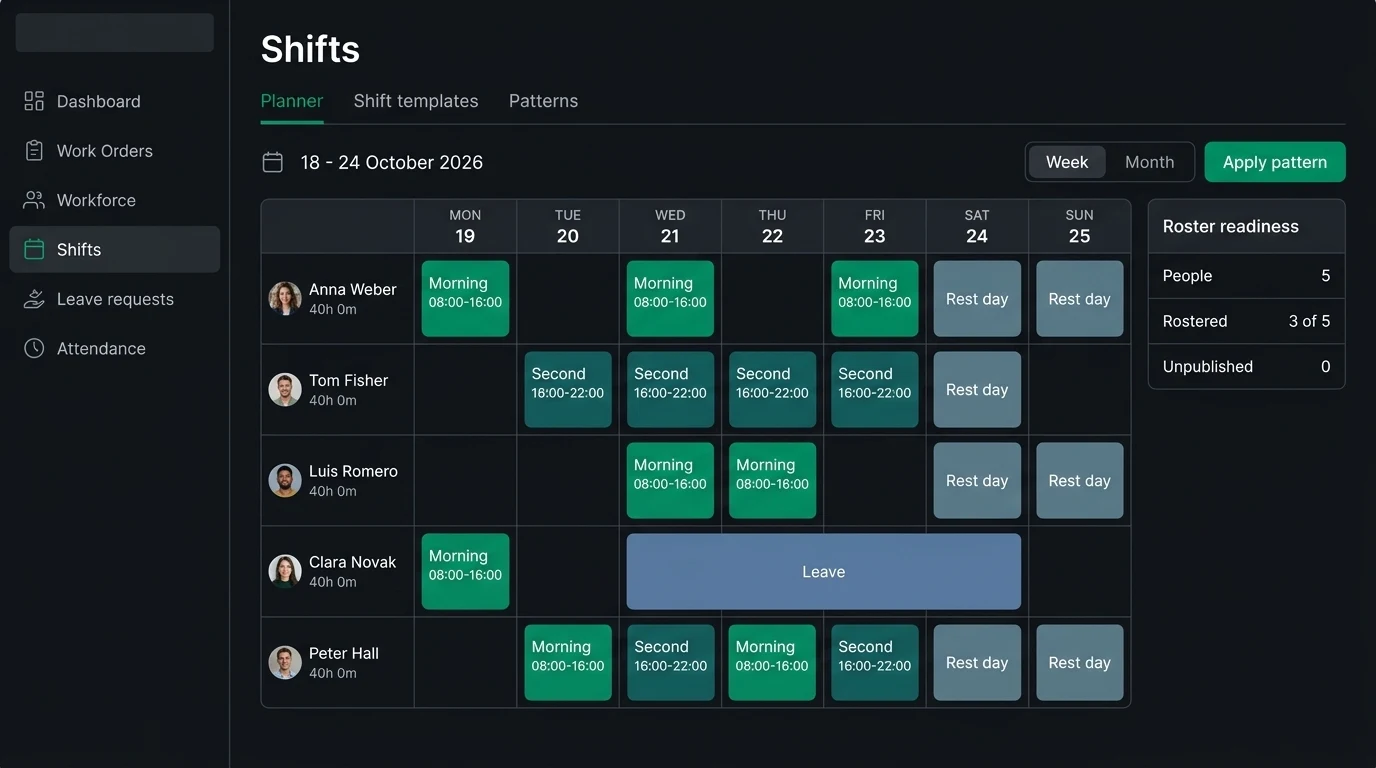
The planner
A split shift is one shift, not two
A template holds up to four segments, so 08:00–12:00 plus 15:00–19:00 is a single shift. The gap in the middle is real time off and is not counted as worked time — the detail that matters in hospitality, security and healthcare.
Nothing is visible until you publish
The draft is yours to fix. Approved leave appears as a hard constraint while you plan, so you will not roster someone who booked the week off and find out afterwards.
A month you can pin on the wall
A published month downloads as a colour A4 PDF designed to go up at the workplace — and it still reads correctly once it has been photocopied in black and white.
Published straight to every phone
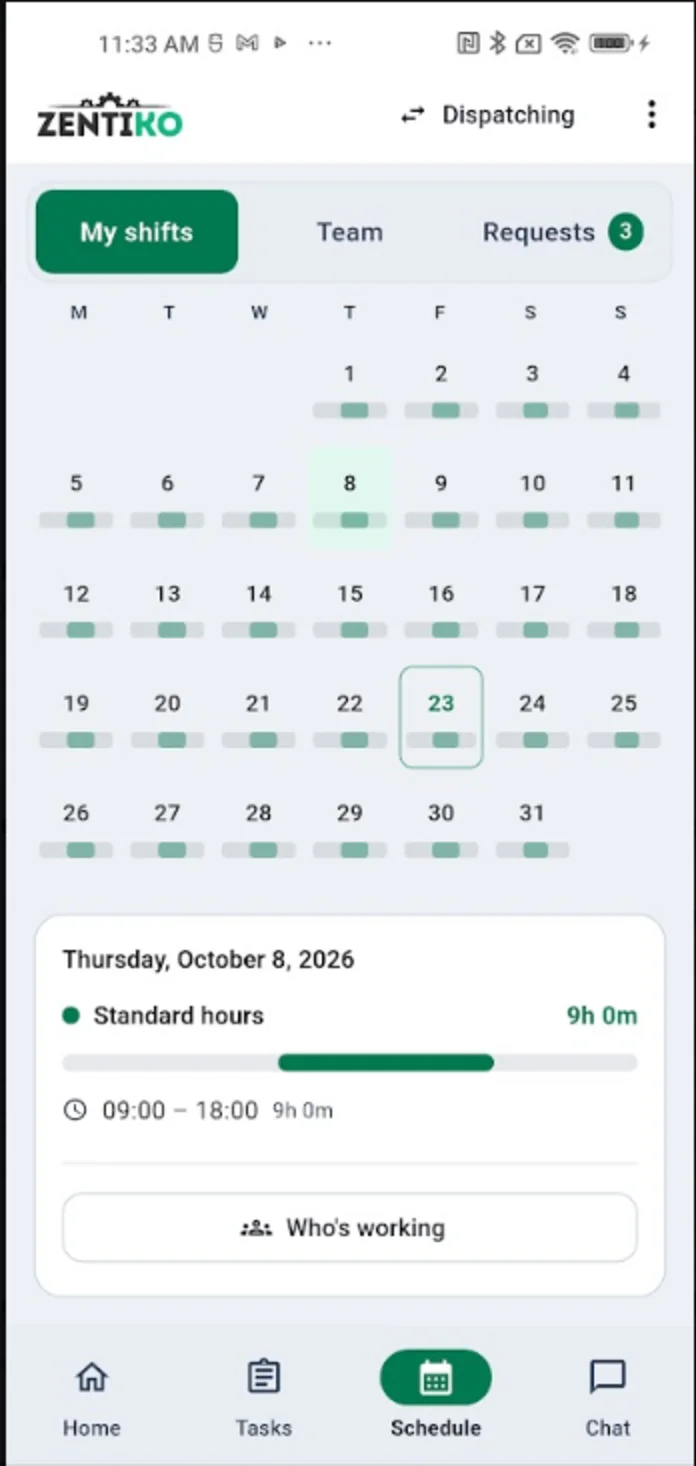
- Every person opens the app and sees their own roster — the month at a glance and the hours of each day.
- They can look up a colleague’s shifts too, so nobody has to ring the office to ask who is on.
- The phone does the chasing: reminders before a shift starts and before it ends.
- Alerts when someone arrives late, leaves early, or is still checked in after their shift should have finished.
Arrival and departure are recorded against the shift. For GPS check-in, the arrival radius and the attendance dashboard, see time & attendance.
Frequently Asked Questions
Still unsure? Talk to our team — we answer within one business day.
Put next month’s roster together in an afternoon
Full-featured 14-day free trial. €15/user/month after, unlimited users. No credit card required.