
Document Templates That Fill Themselves In
Design your handover protocol, receipt or quote once. ZentiKO fills it in from the job and produces the finished PDF automatically. The person building the template is an office administrator, not a developer — so there is nothing to code and nothing to type wrong.
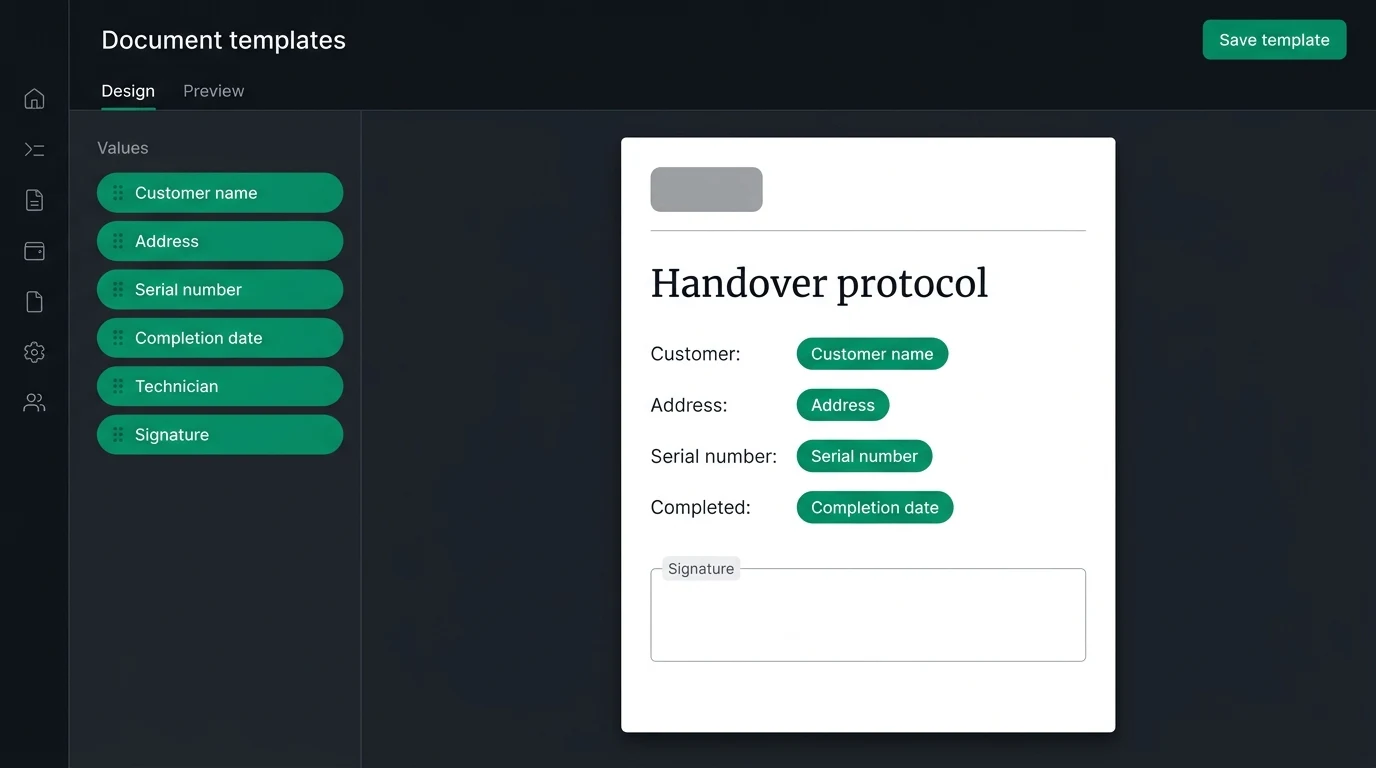
Pick a value from the list and drop it on the page. There is nothing to type, so there is nothing to type wrong.
No placeholders. No formulas.
There is no expression language anywhere. A dynamic value — customer name, serial number, date, signature — is a chip you pick from a list and drop onto the page. Nothing can be typed wrong, so there is no such thing as a broken template.
Preview with real values
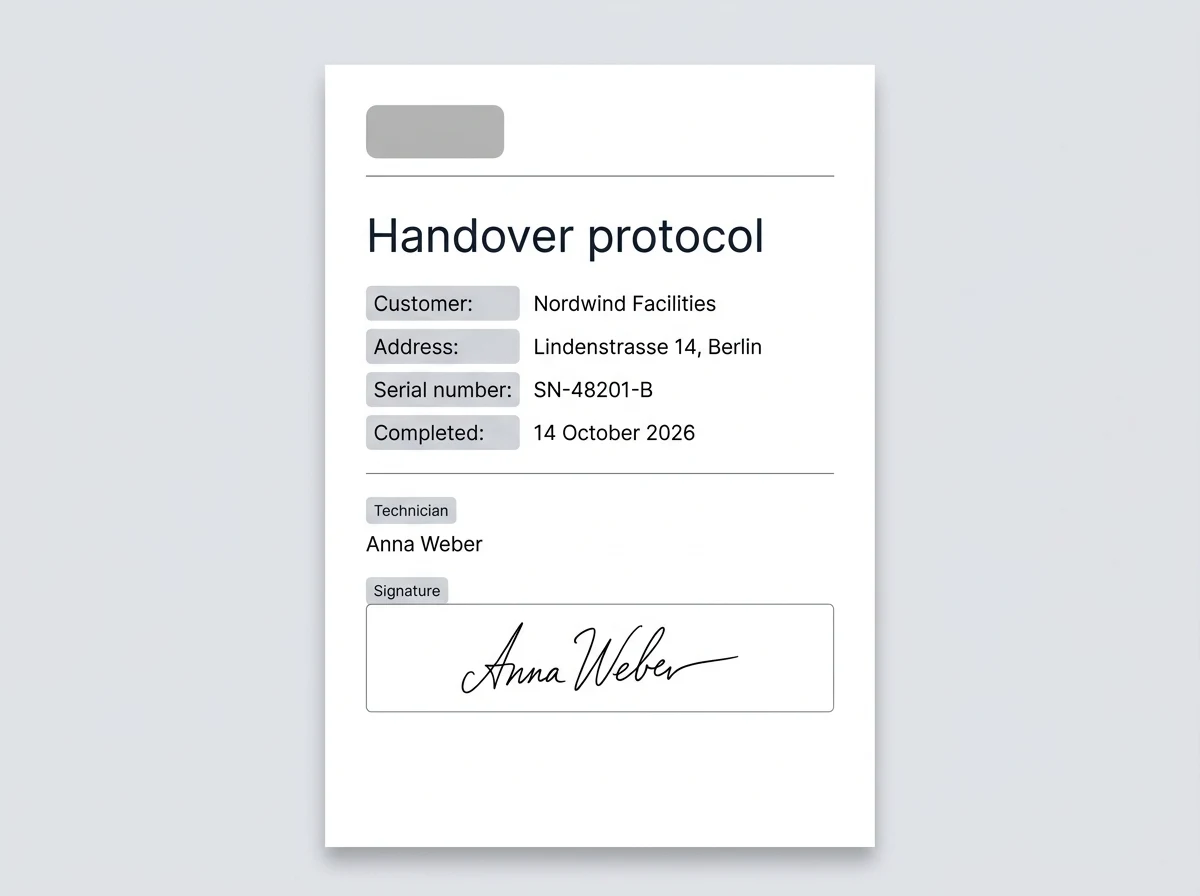
As you build, the preview shows the document resolved against an actual job — the real customer name and the real serial number, not a placeholder. You see the finished page before you save it.
Produced on its own
Choose a status and the document is produced the moment a job reaches it, or generate it on demand from the task. The finished PDF downloads straight from the task.
What else the builder does
- Start from a starter template or from a blank page.
- Your logo and company header on every document.
- Pick any value the job already holds — customer, address, dates, custom fields, signatures.
- The finished PDF downloads from the task itself.
- The dispatcher list flags any task whose document failed to generate.
- One template can serve many task types, or a task type can have its own.
The values a template can use are the fields on your task types. To see how those are defined, read about custom workflows.
Frequently Asked Questions
Still unsure? Talk to our team — we answer within one business day.
Stop rebuilding the same PDF by hand
Full-featured 14-day free trial. €15/user/month after, unlimited users. No credit card required.