
The Limits of Google Maps for Multi-Stop Delivery Routes
Google Maps is free and familiar — and quietly costs delivery operations real money once you run volume. Here is exactly where it breaks, and when to move to route optimization software.
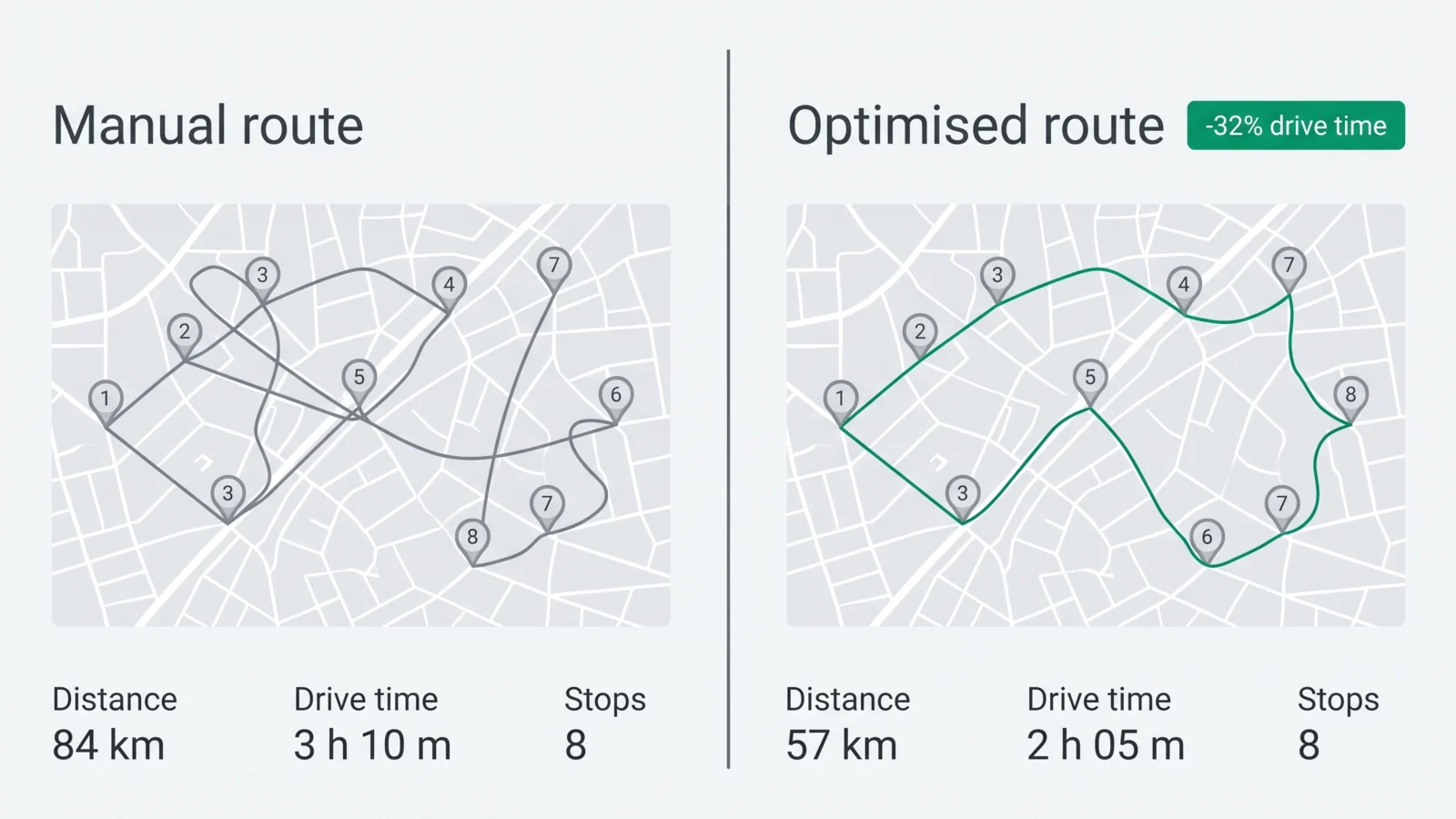
Almost every delivery operation starts with Google Maps. It is free, everyone knows it, and for a handful of stops it is genuinely fine. The trouble starts when volume grows: more stops, more drivers, customers asking where their order is, and clients demanding proof it was delivered. At that point Google Maps quietly starts costing you money — in wasted drive time, missed windows and disputes you cannot win. This article walks through exactly where Maps hits its ceiling for multi-stop delivery routes, and what route optimization software does differently.
The hard stop limit
Google Maps caps how many stops you can add to a single route (you will hit the wall at around ten waypoints). For a driver doing 30, 50 or 80 drops a day, that means splitting the day into several separate maps and stitching them together by hand. Every split is a chance to misorder stops, double back across town, or miss one entirely.
Route optimization software has no practical stop limit — you load the whole day at once and it plans across all of it.
It plans the route you give it — it does not optimize the order
This is the big one, and it is widely misunderstood. Google Maps will find the fastest path between stops in the order you enter them. It does not work out the best order to visit them in. "Optimize route" in consumer Maps is limited and order-of-magnitude weaker than what a dispatcher needs across a fleet.
True route optimization software solves the harder problem: given all of today's stops, all of your drivers, and constraints like time windows and vehicle capacity, what is the most efficient assignment and sequence? That is where the 20–35% drive-time savings actually come from.
No concept of a team
Google Maps is a single-user, single-route tool. It has no idea you have eight drivers, who is closest to a new pickup, or how to balance the load across the fleet. A dispatcher ends up rebuilding the whole picture in a spreadsheet and a group chat.
A delivery dispatch platform shows every driver and every stop on one live map, lets you assign and reassign across the team, and rebalances when a driver runs late or a rush order lands.
- See all drivers and stops on one fleet-wide map
- Assign and reassign stops across the team in seconds
- Balance load automatically instead of guessing
No proof of delivery, no record
When a customer says "it never arrived," Google Maps gives you nothing — no timestamp, no photo, no signature, no record the driver was even there. For B2B and contract delivery work, that is a commercial liability.
Route optimization software built for operations captures proof at every stop: a GPS-tagged, timestamped photo and signature, plus automatic arrival detection. Disputes end because you have evidence.
When Google Maps is fine — and when to switch
Be honest about where you are. If a single driver is doing a handful of stops a day with no proof-of-delivery requirement, Google Maps is genuinely good enough and free. Do not over-buy.
You have outgrown it the moment any of these are true: more than ~10 stops per driver, more than one or two drivers to coordinate, customers asking for ETAs, or clients requiring proof of delivery. That is the point where route optimization software pays for itself within the first month on saved drive time alone.
- More than ~10 stops per driver per day
- More than one or two drivers to coordinate
- Customers asking "where is my delivery?"
- Clients or contracts requiring proof of delivery