
Security Guard Scheduling Software: What to Look for in 2026
A practical buyer's checklist for security guard scheduling software — what to demand from the dispatcher view, the mobile app and the contract.
Security companies have a workforce problem disguised as a scheduling problem. You are coordinating dozens or hundreds of guards across client sites, posts and shift patterns, with licence and training constraints stacked on top, and the cost of a single uncovered post is a lost contract. Most generic shift-scheduling tools were built for restaurants and retail — they do not know what a "post" is, cannot enforce a guard licence requirement, and have no concept of patrol or incident reporting. This guide is a practical checklist for choosing security guard scheduling software in 2026 — what to ask for, what to refuse, and how to run a 14-day trial that actually tells you the truth.
Why generic shift schedulers fail security companies
Tools like WhenIWork, Deputy and Homebase are well-built — for the businesses they were designed for. A retail manager scheduling shifts at a single store has very different problems from a security operations manager covering 40 client sites with 200 licensed guards. The retail scheduler does not need to know whether a guard holds a valid SIA licence, whether the post requires a firearms endorsement, or whether the previous patrol left an open incident report.
When a generic scheduler gets shoehorned into security work, the typical result is a parallel spreadsheet of who can work where, a paper patrol log because the app has no concept of patrol tasks, and a separate WhatsApp group for incidents. That is three tools doing what one purpose-built platform should do — and three places where a missed message becomes a missed contract.
Must-have #1: a dispatcher view that shows every post
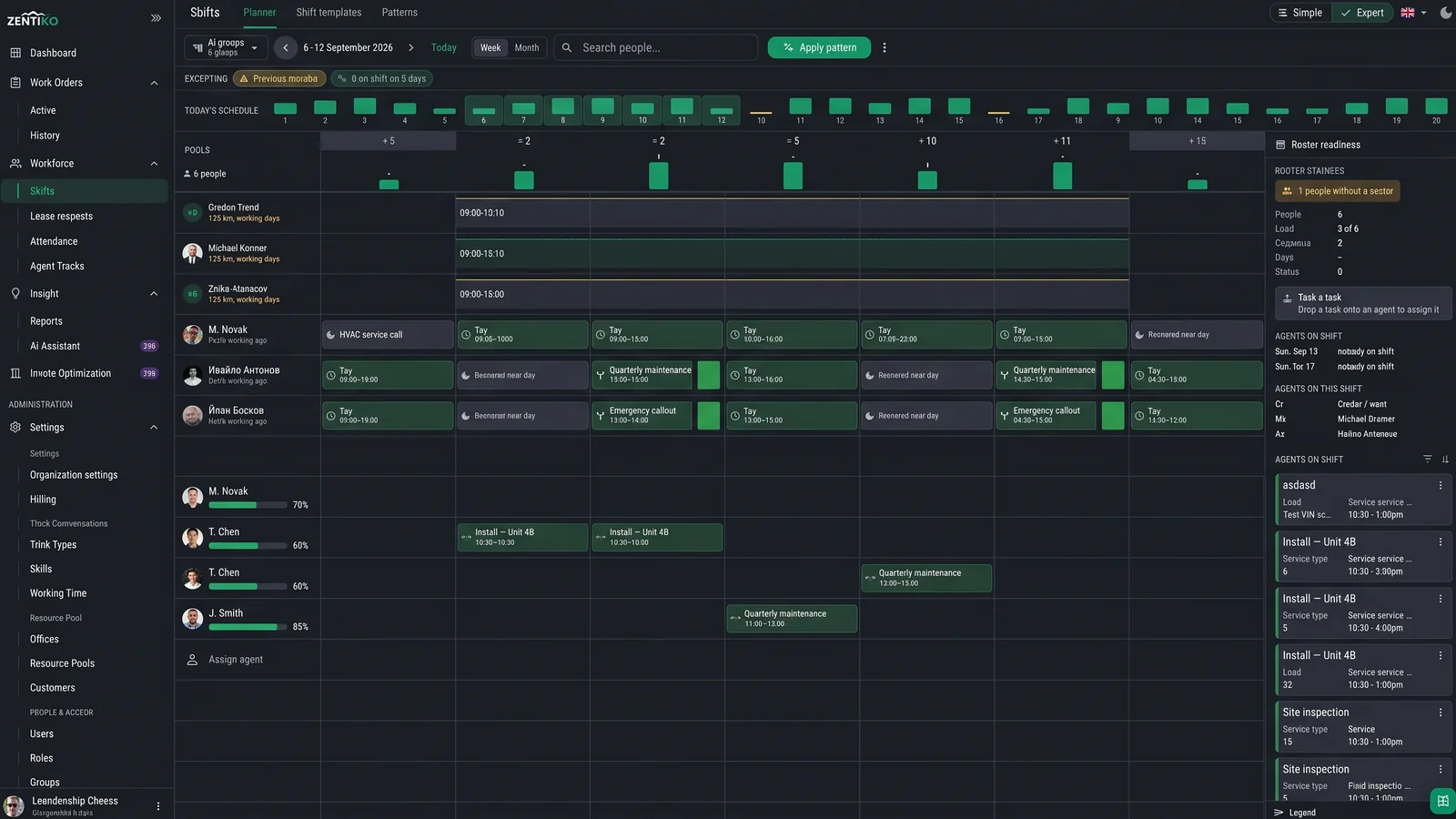
The single most important feature is the dispatcher Gantt: a board with guards on one axis, time on the other, and posts/sites assigned across the grid. A good Gantt lets you see at a glance which posts are covered, which are at risk, and what tomorrow looks like. Multi-day views (1/3/5/7 days) are essential — most security work is planned a week out, not a day.
A useful tell during a demo is to ask the rep to show you 7 days, with a guard going on holiday on day 4. The Gantt should make the gap and its consequences obvious without anyone clicking into a separate report. If you have to leave the dispatcher view to see coverage problems, the tool is the wrong shape.
Must-have #2: GPS and arrival detection on every site
Arrival detection — the platform automatically detecting when a guard reaches and leaves a site via GPS — has gone from luxury to baseline. It does three things at once: it protects you in incident investigations, it gives clients evidence the contract is being executed, and it eliminates the "did the guard actually arrive on time" argument.
During evaluation, do not accept "we have GPS clock-in" as an answer. Clock-in is a button the guard presses; arrival detection is a geofence the platform manages. They are not the same product. The geofence radius should be configurable per site (city-centre posts need smaller radii than industrial parks).
Must-have #3: skills, licences and training assignment
Every security guard scheduling platform claims "skill-based assignment." Few actually enforce it. The pattern you want: a skills catalogue at the company level (SIA licence, weapons permit, dog handler, first aid, site-specific induction), each post task type declares which skills are required, and the dispatcher cannot assign a guard who does not match.
This is the difference between a scheduling tool and a compliance tool. The compliance version protects you when a client audits the staffing of their site, or when an incident triggers an investigation into whether the guard on duty was actually licensed. Add the audit trail of "who was assigned and when" and you have a real defence.
Must-have #4: a mobile app guards will actually use
Most field workforce tools have a great web dashboard for the office and a mediocre mobile app for the field. For security companies, the mobile app is the product. Guards live on it: check-in, view patrols, complete checkpoints, file incident reports, message the team. If the app is slow, confusing or constantly drops, your guards will revert to WhatsApp and the platform becomes shelfware.
During the trial, do not test the mobile app at a desk. Walk a real patrol on a real site, in the rain if you can. The questions to answer: does it work offline (it must); does check-in feel instant; can a guard file an incident in under 30 seconds; do photos upload reliably on patchy reception. A weekend of real-world testing tells you more than any demo.
Pricing: avoid the per-feature trap
The pricing pattern that bites security companies hardest is feature-gating. The base plan looks affordable, but GPS is on the next tier, patrol reporting is an add-on, and integrations are "Enterprise only." Total cost of ownership for a 50-guard company can easily 3x the headline price.
A flat per-user, per-month price with the patrol, GPS, scheduling and mobile features all included is dramatically simpler to budget and almost always cheaper than the tiered alternative once you actually need the features. As a benchmark, ZentiKO is €15 per user per month (€12.50 billed annually) for unlimited users, unlimited tasks, webhooks and priority support — with a 14-day full-platform free trial and no credit card required.